
All Our Image Tools
Image_Resizer_Tool
A digital application that allows users to change an image's dimensions (width and height)
Image100kb
Reduce image file sizes without sacrificing quality.

Image Side Convert
Upload an image and flip it horizontally or vertically.

Image Watermark Adder
An image watermark adder is a tool that superimposes a logo, text, or signature onto digital

Image Taxt Add
An image Taxt add is a tool that superimposes a logo, text, or signature onto digital
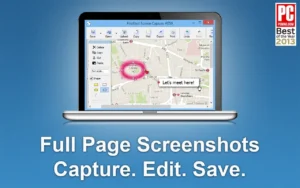
Website_Screenshot
"Capture full or partial screenshots of any website instantly."
Website_Speed_Test
"Check your website’s loading speed and performance instantly."
PNG to JPG/WEBP Convert with Logo
"Switch from PNG to JPG/WebP with professional logo branding"
The Ultimate Digital Workspace for Image Optimization: Explore All Our Image Tools
In today’s digital-first world, visuals speak louder than words. Whether you are building a website, running a social media campaign, or creating a professional portfolio, high-quality images are the foundation of your success. However, working with images often comes with challenges like massive file sizes, unsupported formats, and difficult resizing tasks.
At UserFineTools, we have simplified this for you. Our “All Our Image Tools“ category is a curated collection of professional-grade, easy-to-use web utilities designed to solve every visual hurdle you face. Our goal is to empower you with a high-quality online image toolkit that makes your digital assets ready for the modern web.
A Complete Suite for Every Visual Need
Why waste time switching between different websites or downloading heavy desktop software? UserFineTools provides a seamless experience where you can access everything under one roof. Our online image optimization tools cover a vast range of functionalities:
High-Fidelity Conversions: Transform your standard JPG and PNG files into next-gen formats like WebP. This ensures that your website remains incredibly fast while retaining sharp visual clarity.
Smart Image Compression: Large image files are the primary cause of slow-loading websites. Our bulk image optimizer allows you to reduce file sizes by up to 80% without visible quality loss, significantly improving your PageSpeed scores.
Precise Resizing and Cropping: Perfect your proportions. Whether you need an exact dimension for a YouTube thumbnail or a specific aspect ratio for Instagram, our fast image resizing online utility gets it done in seconds.
Format Flexibility: Easily swap between PNG to JPG, JPG to PNG, or Image to Base64. Our format converters are built to handle the technical heavy lifting, giving you more time to focus on creativity.
Designed for SEO and Web Performance
Search engines like Google prioritize user experience. One of the core metrics of a healthy website is the Largest Contentful Paint (LCP), which is directly affected by the size of your images. By using UserFineTools’ best web image tools, you aren’t just editing photos; you are actively performing technical SEO.
Optimized images help in:
Improving Core Web Vitals: Faster loading visuals lead to higher rankings.
Bandwidth Efficiency: Users on mobile networks appreciate lightweight content.
Indexing Success: Properly named and optimized images are indexed faster by Google Images, driving additional organic traffic to your site.
The UserFineTools Advantage: Privacy and Speed
Security and user privacy are non-negotiable. Many online platforms store user data for advertising, but UserFineTools operates on a strict No-Storage Policy. When you use our free online image toolkit, your data is processed through secure channels. Your original and edited images are never stored permanently on our servers—privacy you can trust.
Furthermore, we offer zero-registration access. You don’t need to create an account, enter credit card details, or deal with intrusive email signups. You get premium utilities, absolutely free.
How to Use the All-In-One Toolkit
The interface is designed for simplicity.
Step 1: Browse through our list of image tools below and pick the one that matches your requirement (e.g., Image to WebP).
Step 2: Drag and drop or upload your image from your local device or cloud storage.
Step 3: Apply the necessary changes—be it compression, conversion, or resizing.
Step 4: Hit the download button and get your perfectly optimized file instantly.
Experience a faster, more professional way of handling visuals. From web developers to casual creators, UserFineTools is the final destination for all things visual. Explore all our image tools today and take your content to the next level!
Frequently Asked Questions
Q1: Why should I choose WebP over the standard JPG format?
WebP offers superior compression, reducing file size by up to 35% more than JPG while maintaining high visual clarity. This improves your Core Web Vitals score on Google.
Q2: Can I remove a watermark after adding it using your tool?
Our [Image Watermark Adder] burns the watermark into the pixel grid of the image to protect your visual rights. To keep an clean version, always save your original file separately.
Q3: How many photos can I compress at once using the bulk tool?
You can upload and process up to 50 images in a single batch, making it ideal for e-commerce store owners and professional bloggers.
Q4: Will resizing an image make it look blurry or stretched?
Our [Image Resizer] comes with an “Aspect Ratio Lock.” By checking this box, the tool automatically adjusts height based on width to prevent visual distortion.
Q5: Are my private photos stored in your cloud?
Absolutely not. All visual optimizations are performed client-side or deleted instantly, ensuring your creative work remains entirely your intellectual property.